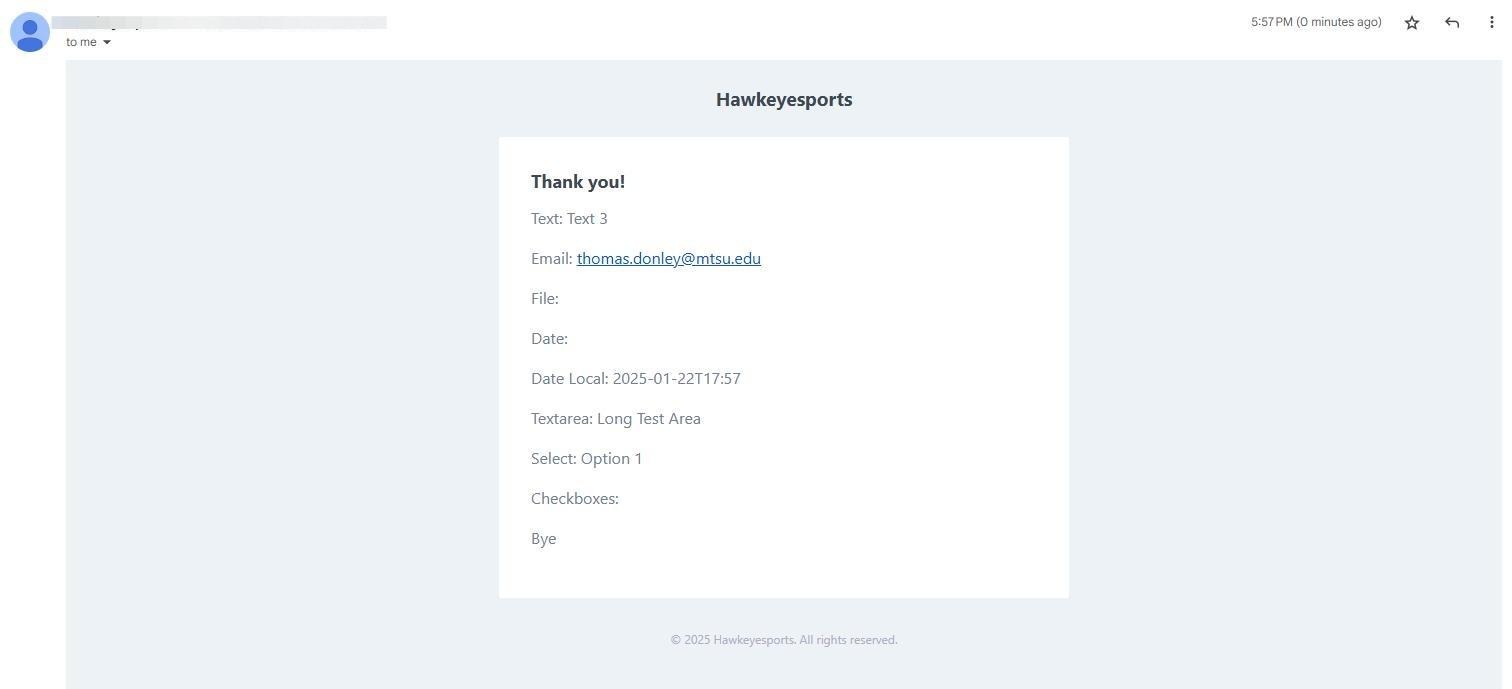
How to Create Contact Form Notification
Last updated: September 18, 2026
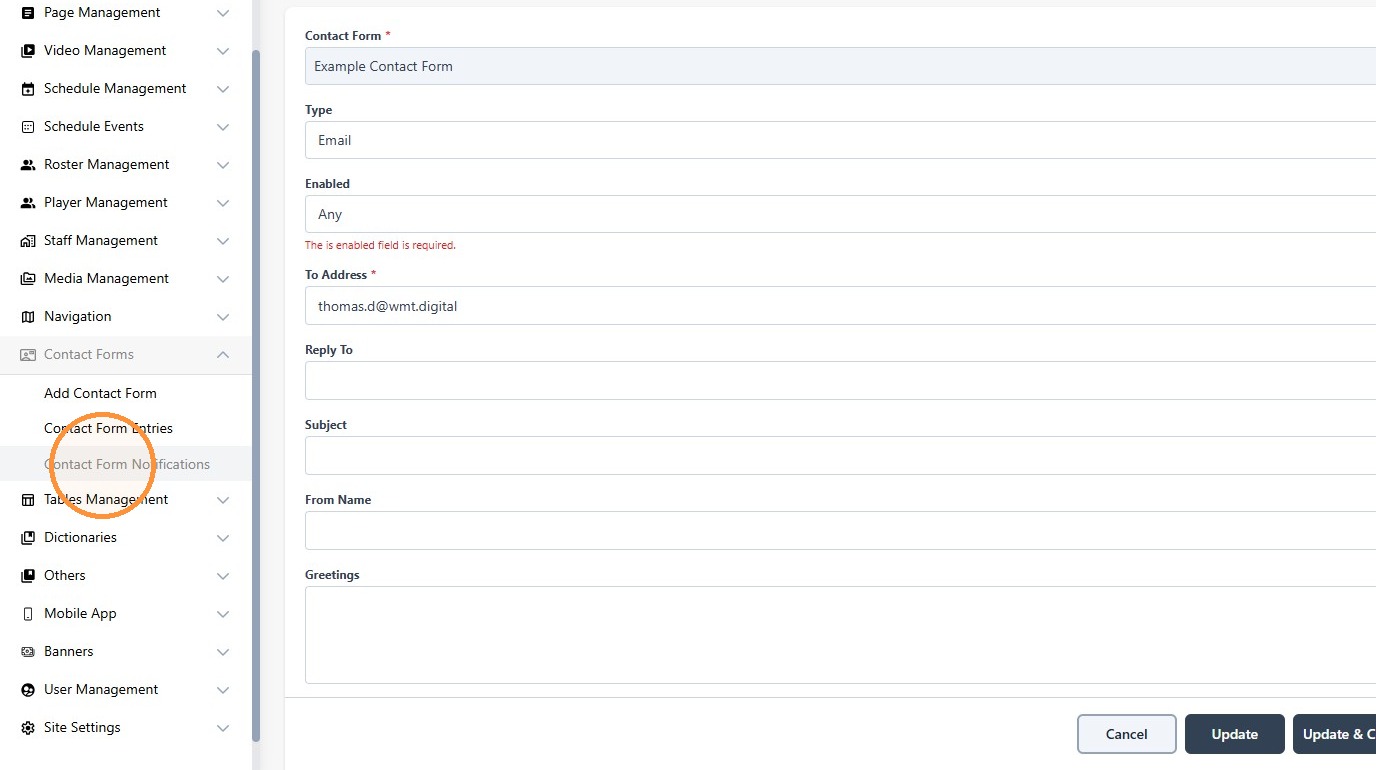
1. Click "Contact Form Notifications"
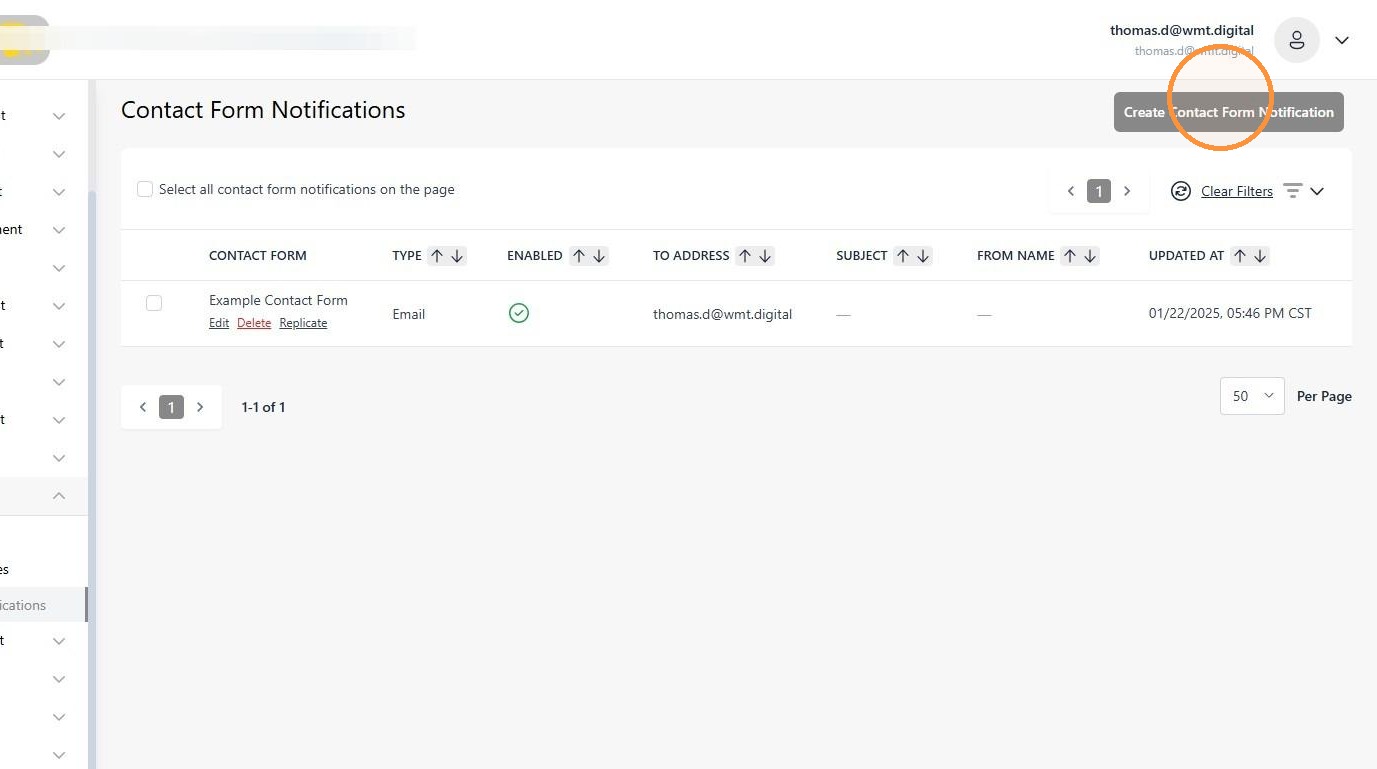
2. Click "Create Contact Form Notification"
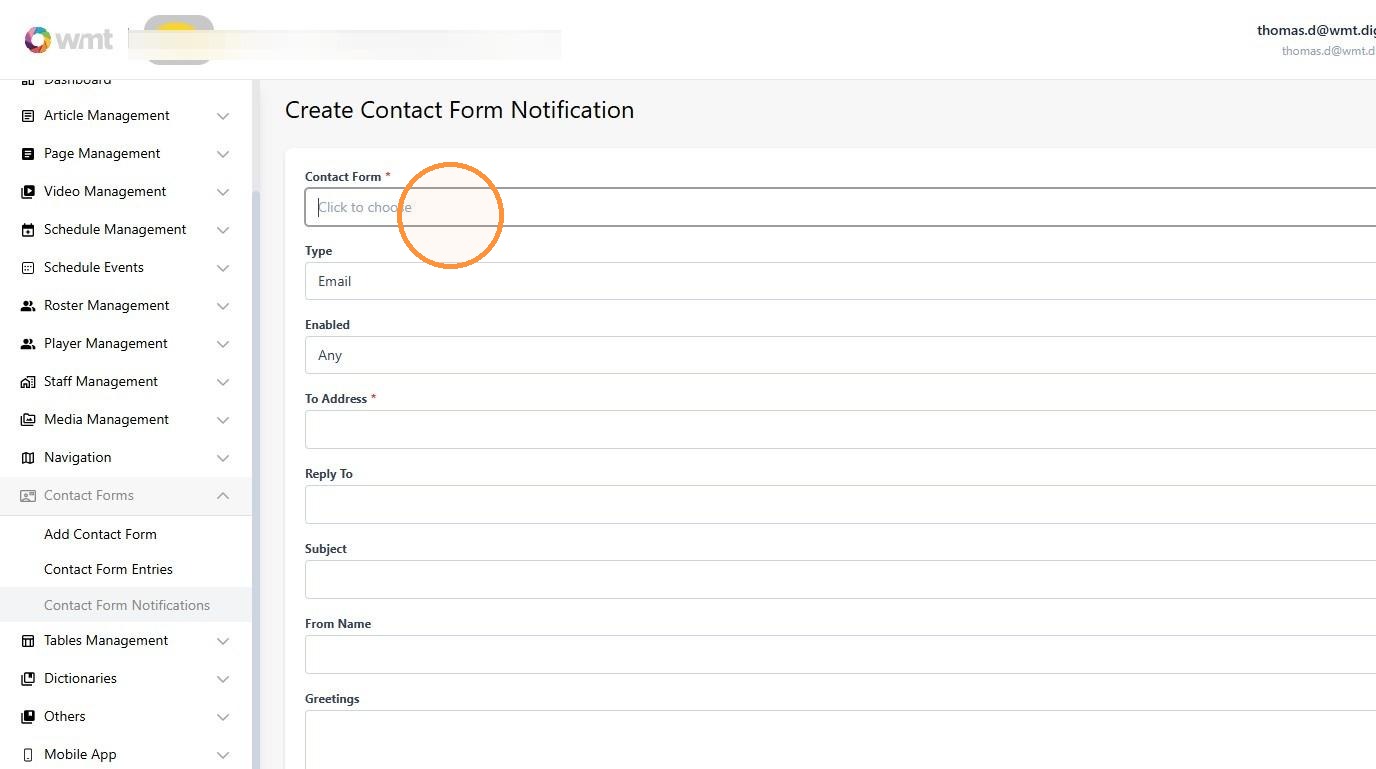
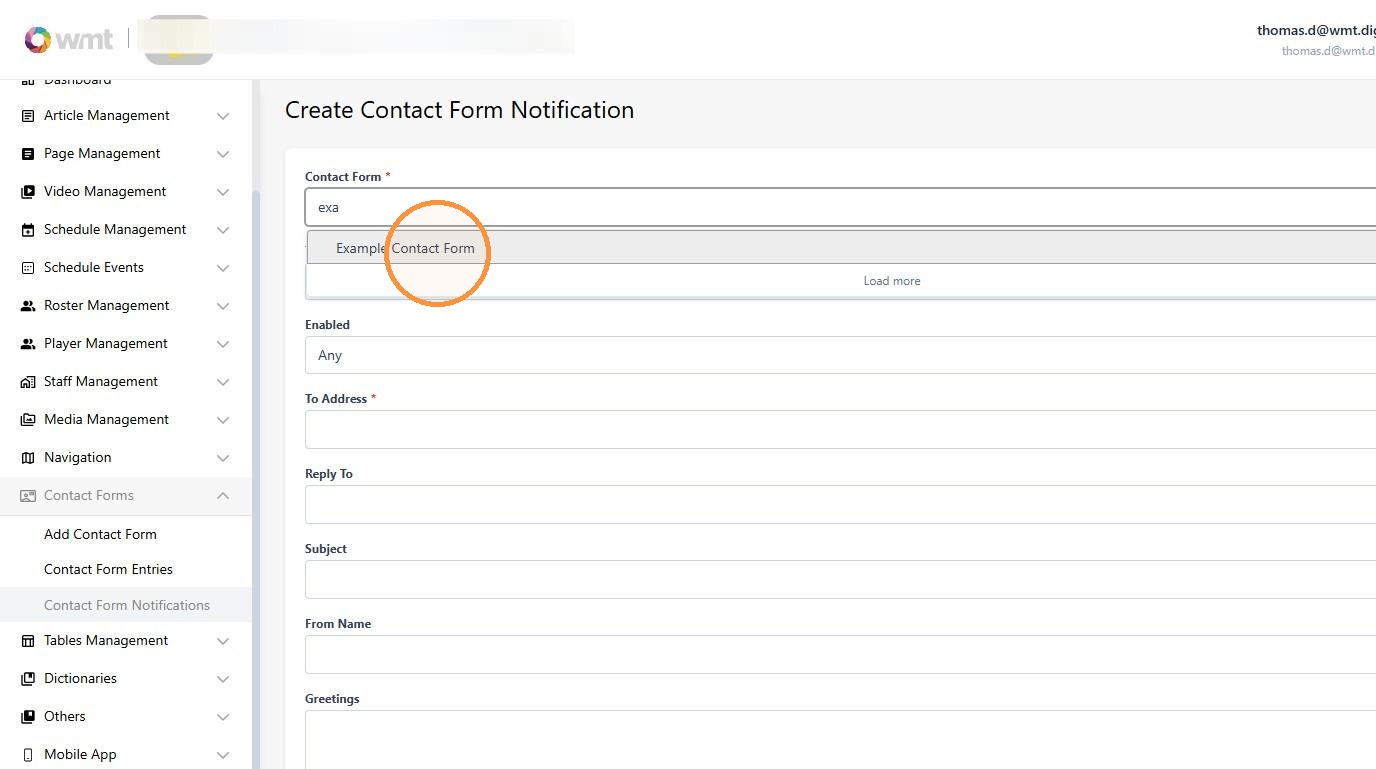
3. Click the "Contact Form*" field.
4. Select your form
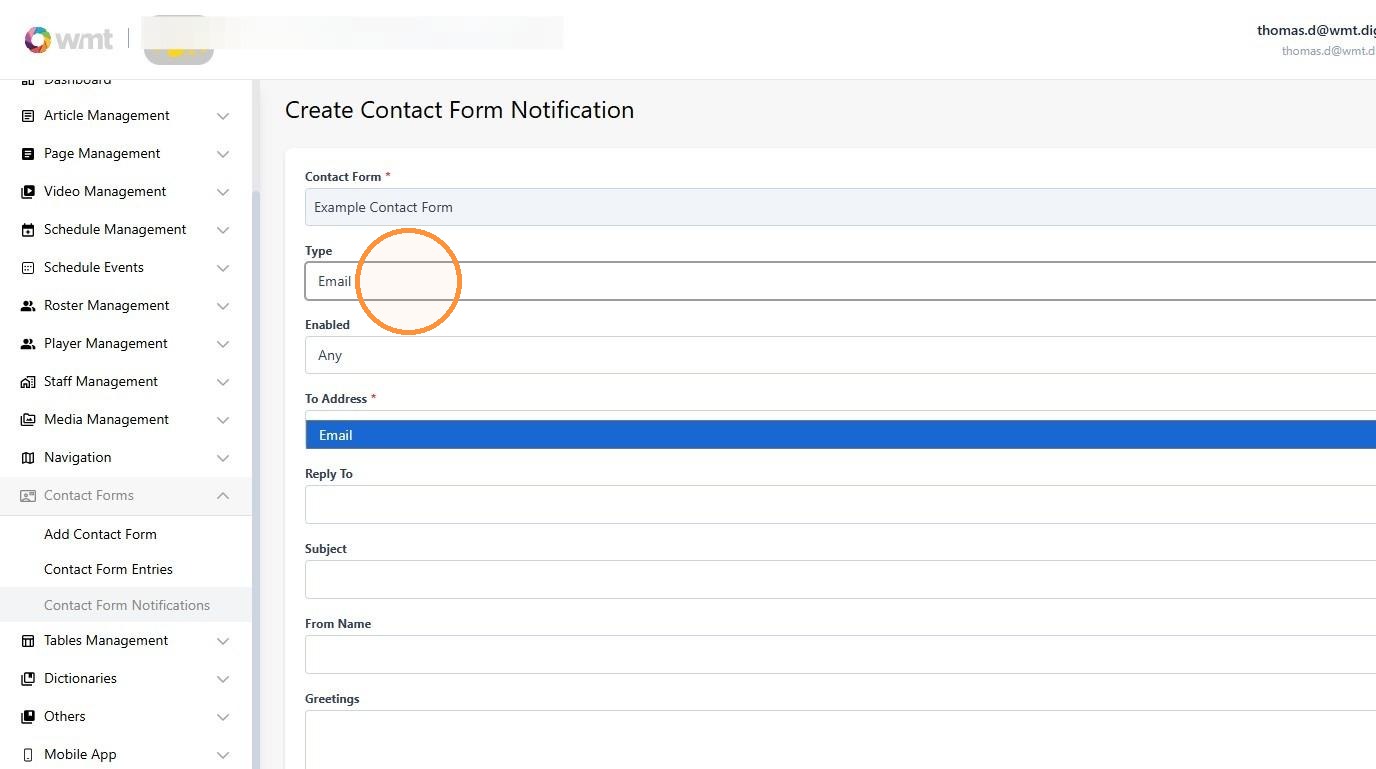
5. The only supported form of notification is currently email
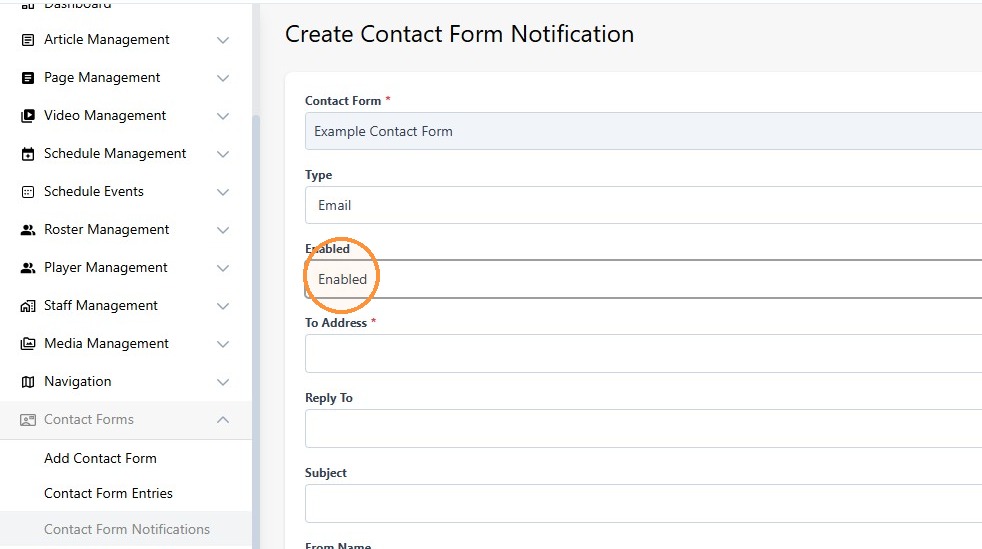
6. Select the "Enabled" option - this will allow notifications to be delivered via email
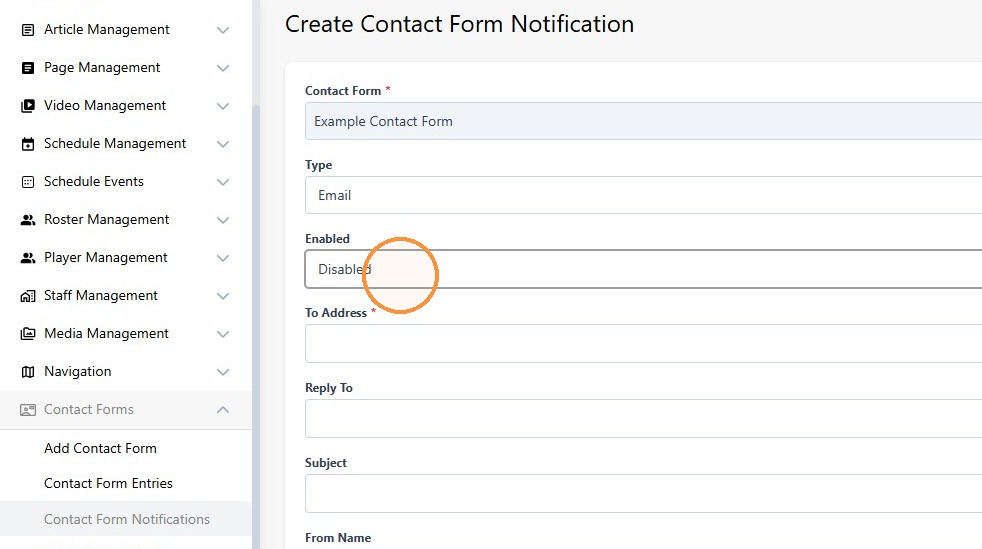
7. Select the "Disabled" option to stop these notifications from being delivered
8. The "To Address" is the email address that the notifications we be delivered to

9. Click the "From Name" field.
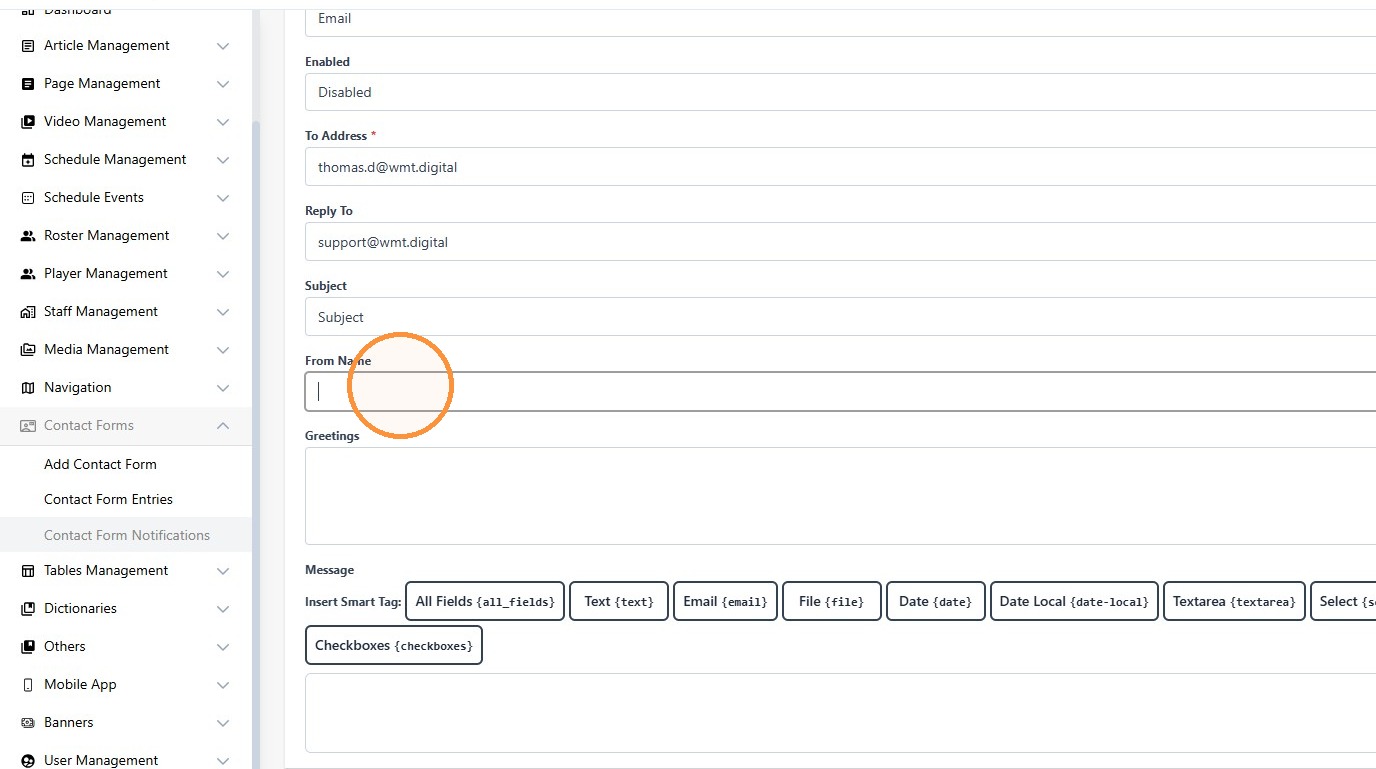
10. Type "From Your Friend"
11. Click the "Greetings" field.

12. Type "Thank you!"
13. Click "All Fields {all_fields}" to show all fields in then submission notification. There are options to only include selected field types in the notification.
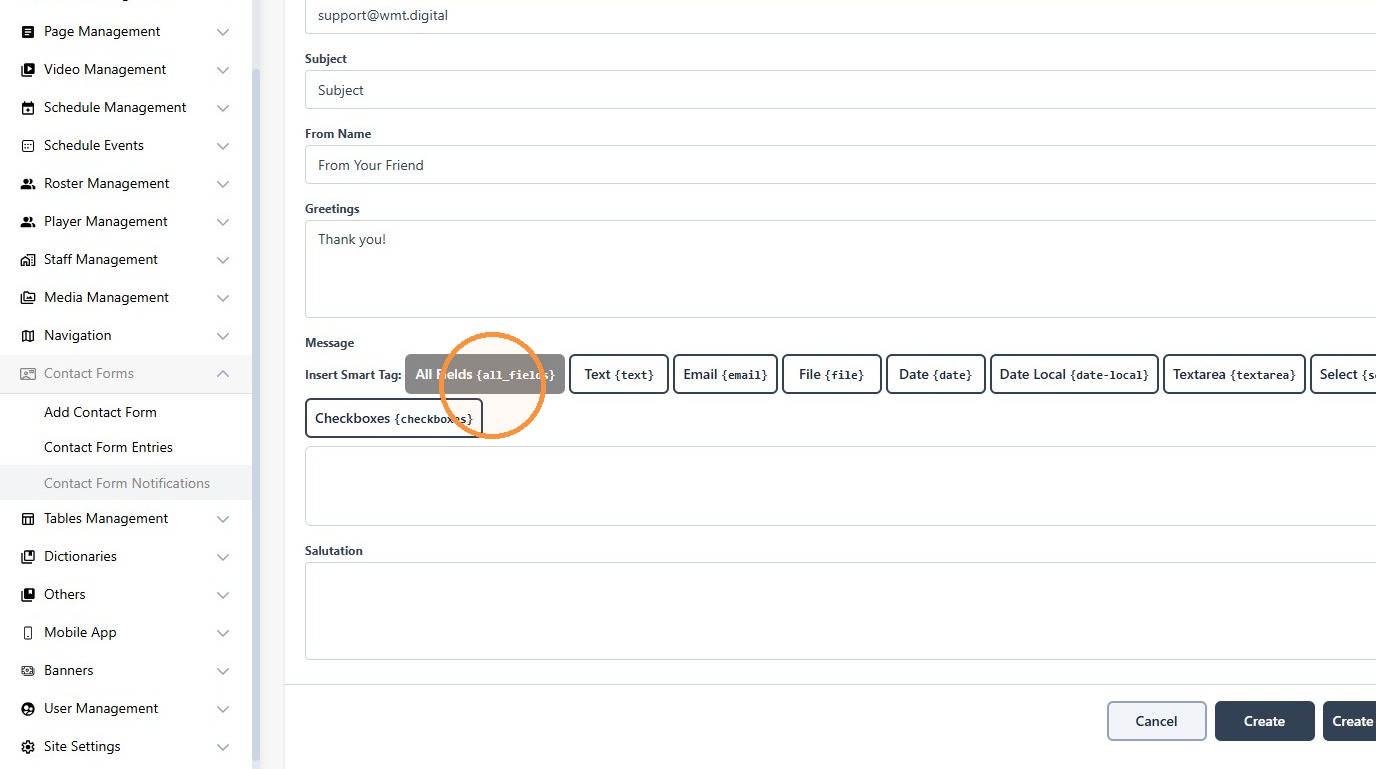
14. Click "Create"
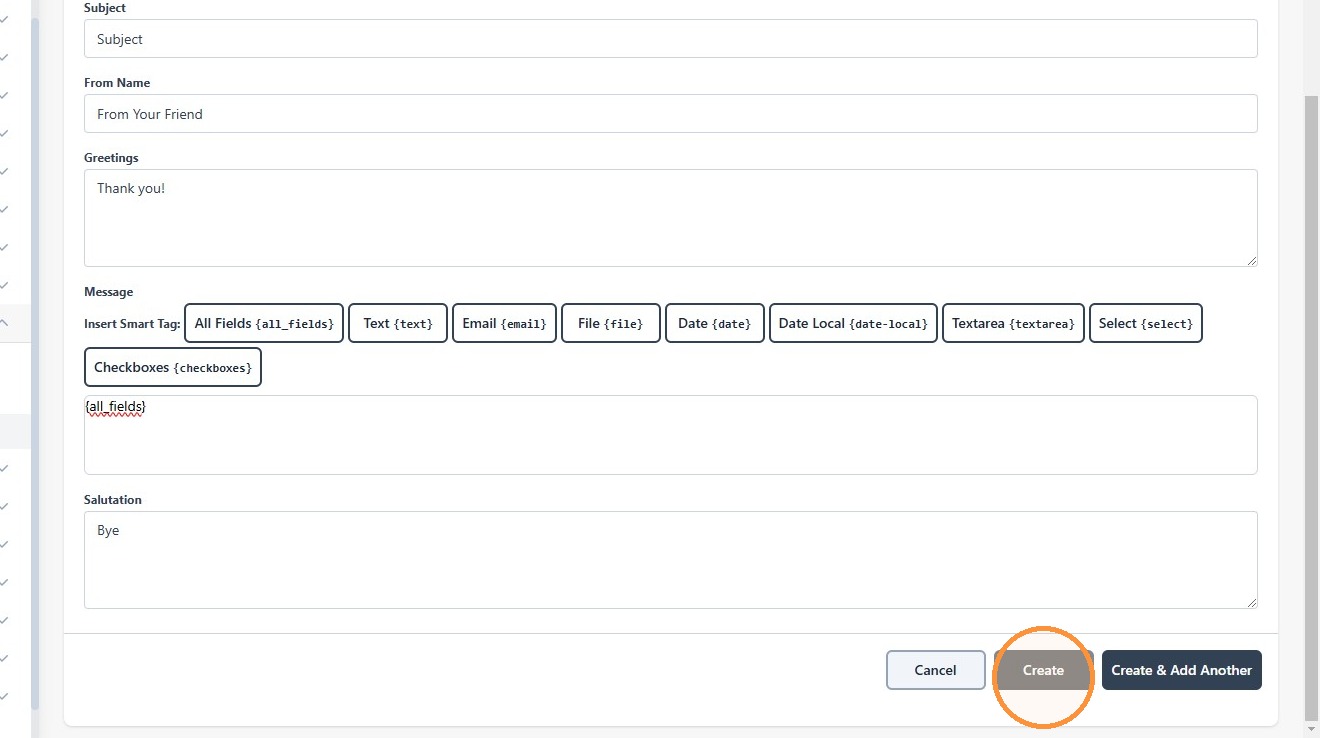
15. This is the final result of the submission